







For personal, non-commercial projects only (portfolios, personal blogs, hobby projects).
About
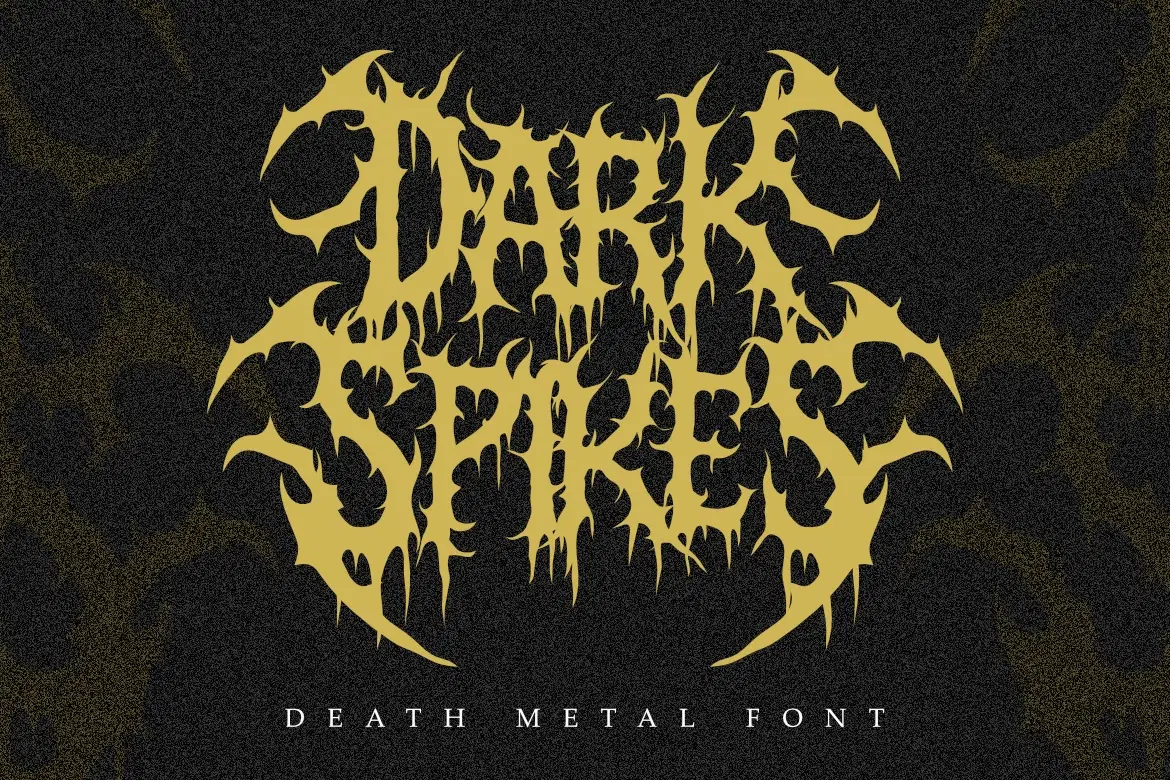
Dark Spikes - Brutal Death Metal Font
Dark Spikes is a raw, aggressive display font inspired by the extreme aesthetics of death metal and underground music culture. Featuring sharp, thorn-like letterforms and organic textures, this font captures the chaotic energy of brutalist design.
Perfect for band logos, extreme sports branding, horror movie titles, and concert posters. Dark Spikes ensures your design screams with intensity and dark atmosphere.
Main Features:
Authentic Death Metal & Black Metal aesthetic.
Aggressive, sharp, and spikey letterforms.
High-detail organic strokes.
Perfect for logos, metal branding, and posters.
What’s Included:
Dark Spikes.otf
Dark Spikes.ttf
Shop confidently with Shuppi
If your download isn’t what was promised, we’ll make it right. Eligible purchases can be refunded within fourteen calendar days when listings mislead, files fail, or duplicate checkouts happen.
- Listings must match what you receive—no surprises.
- Corrupted files or technical issues? Request a quick fix or refund.
- Duplicate purchases are covered without the hassle.