







For personal, non-commercial projects only (portfolios, personal blogs, hobby projects).
About
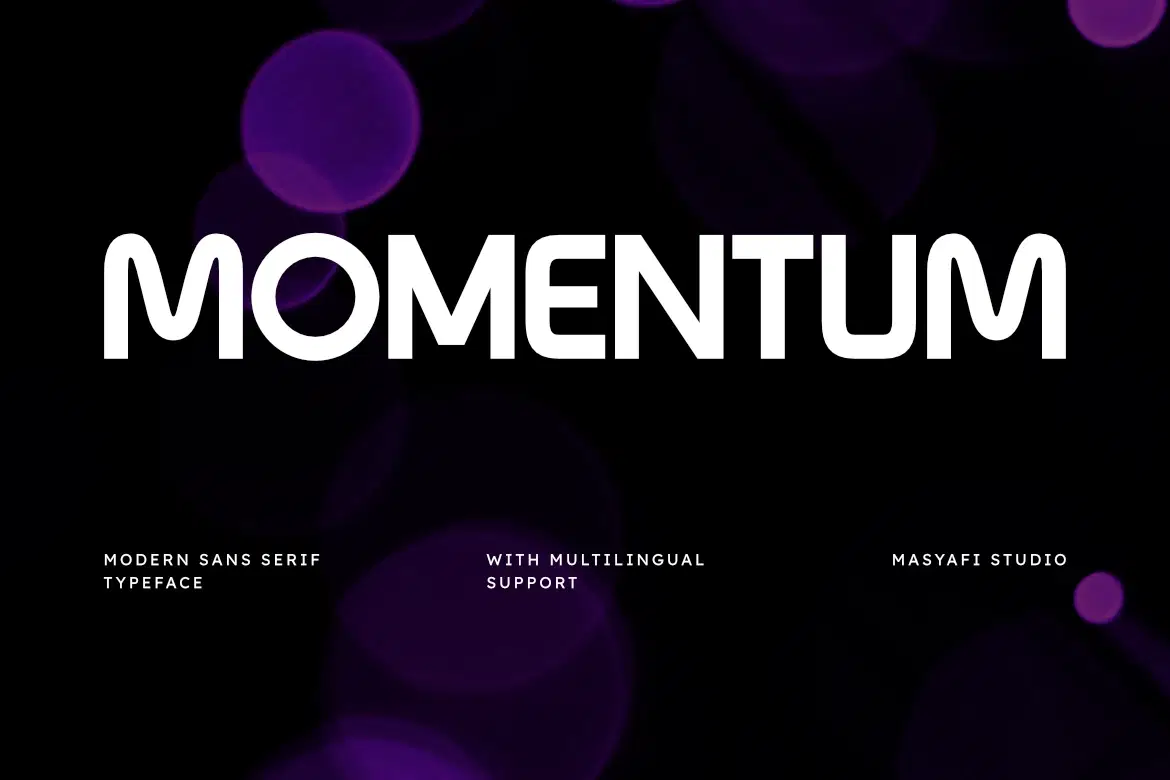
Elevate your design projects with Momentum, a modern sans serif typeface designed with a perfect balance of geometric shapes and smooth rounded edges. Momentum offers a clean, contemporary aesthetic that ensures high readability across both digital and print platforms.
Whether you are working on a minimalist logo, a tech-focused website, or a bold advertising campaign, Momentum provides the versatility you need. Its professional look makes it an ideal choice for branding, headlines, and corporate identities.
Main Features:
Clean & Modern Rounded Sans Serif.
Multilingual Support (Western European characters).
Perfect for branding, logos, posters, and social media.
Total 2 files included (OTF & TTF).
What’s Included:
Momentum.otf
Momentum.ttf
Shop confidently with Shuppi
If your download isn’t what was promised, we’ll make it right. Eligible purchases can be refunded within fourteen calendar days when listings mislead, files fail, or duplicate checkouts happen.
- Listings must match what you receive—no surprises.
- Corrupted files or technical issues? Request a quick fix or refund.
- Duplicate purchases are covered without the hassle.