

For personal, non-commercial projects only
About
What is Notes Manager?
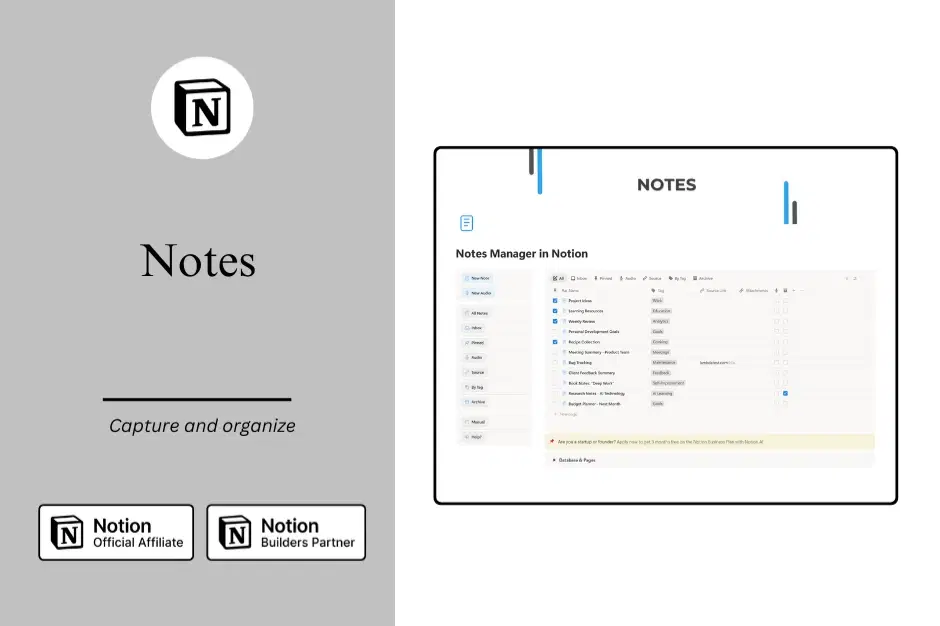
Notes Manager is a complete knowledge management system built in Notion that helps you capture, organize, and retrieve information effortlessly. Whether you're jotting down quick ideas, saving important resources, or building a personal knowledge base, this template gives you everything you need in one beautifully organized workspace.
We designed Notes Manager for anyone who wants to stop losing track of valuable information and start building a system they can actually use.
Who is this for?
Notes Manager is perfect for:
Knowledge workers who need to capture and organize information from multiple sources throughout their day.
Content creators who collect inspiration, research, and ideas for future projects.
Students and researchers who want to build a sustainable note-taking system that grows with them.
Professionals who need to reference meeting notes, project details, and important documents quickly.
Anyone who feels overwhelmed by scattered notes across different apps and platforms.
Key Features
Flexible note organization with multiple views that let you see your notes by status, tags, source, or date. Find what you need, when you need it.
Smart tagging system that helps you categorize and connect related notes without complex folder structures.
Quick capture inbox for those moments when you need to save something fast and organize it later.
Pinned notes keep your most important information front and center.
Audio notes support for capturing thoughts on the go or saving voice memos.
Source tracking so you always remember where information came from, making it easy to cite and reference.
Archive functionality to keep your active workspace clean without losing access to older notes.
What makes it different?
Many note-taking systems are either too simple or overwhelmingly complex. We built Notes Manager to strike the perfect balance. It's structured enough to keep you organized but flexible enough to adapt to how you naturally think and work.
You get a system that works right out of the box, with thoughtfully designed views and workflows based on real-world use. No need to spend hours setting up databases or figuring out complicated systems. Just duplicate the template and start capturing your ideas.
What's included?
Complete notes database with all essential properties already configured.
Seven pre-built views covering the most common ways you'll want to see and work with your notes.
Ready-to-use pages for different workflows like inbox processing, reviewing pinned notes, and browsing by tag.
Welcome guide that walks you through the system and helps you get started immediately.
Clean, minimal design that puts your content first without unnecessary clutter.
Get started today
Stop juggling multiple note-taking apps and scattered information. With Notes Manager, everything you need to capture and organize knowledge lives in one place.
Duplicate the template, add your first note, and experience what it feels like to have a note-taking system that actually works for you.
Shop confidently with Shuppi
If your download isn’t what was promised, we’ll make it right. Eligible purchases can be refunded within fourteen calendar days when listings mislead, files fail, or duplicate checkouts happen.
- Listings must match what you receive—no surprises.
- Corrupted files or technical issues? Request a quick fix or refund.
- Duplicate purchases are covered without the hassle.
Product Specs
Tags
Frequently Asked Questions
You May Also Like

NoteGrid - Notion Template
 Yanis’s Notion
Family & Household Command Center - Notion Template for Mental Load and Home Management
 Plan it. Do it. Love it.
Sticky Notes - Notion Template
Yanis’s Notion
The Ultimate Notion Template Bundle: 20 Notion Templates for Life & Work
Yanis’s Notion
Notion Project and Task Tracker -Notion Template
Yanis’s Notion
Career & Project Planner Hub - Notion Template for Career Planning and Project Management
Plan it. Do it. Love it.